The Office of Student Disability Services (SDS) proctors in-person quizzes, tests, and exams for students who are registered with SDS and enrolled in face-to-face courses at the UMBC main campus.
Content:
Key Information
- Students should schedule their test appointments through the SDS Accommodate student portal.
- Students with Title IX or ECR supportive measures that include testing accommodations (who are not registered with SDS) may also use SDS services. Advance notice and arrangements are required—please contact a staff member.
- Book Early: Schedule your tests and exams as early as possible. You can book all your exams for the semester at once in Accommodate.
- Cancellation: It’s better to cancel a scheduled test if it’s not needed than to wait until the last minute and miss the deadline.
- Scheduling Notice: SDS requires at least 4-5 days’ notice (96 hours) to ensure we have proctors and seats available. This also allows time to collect your test from the instructor.
- Scheduling Conflicts: Given high test proctoring demand and classes being held earlier or later in the day than SDS’s open hours, SDS may not have availability for all students seeking SDS proctoring to take their tests at the same time as their class. If your test time conflicts with SDS availability, contact your instructor and an SDS staff member to discuss alternative arrangements.
Health and Safety Update
- Masking Policy: Mask-wearing is encouraged for continued health and safety, though not required. Masks are available upon request in our office.
Testing Hours
- SDS staff are available Monday – Friday via phone and email to assist with your testing accommodations. Please let us know promptly (at disAbility@umbc.edu) if you have any trouble utilizing your testing accommodations for your classes.
- Include Detailed Information: When contacting us, please provide your course name, instructor, test date, and time for faster assistance.
- Monday – Friday: 9:00am – 4:00pm
- Extended Hours: Tuesdays and Wednesdays until 6:00pm (when scheduled in advance)
Note: Summer and winter hours may differ.
Testing Locations
The testing locations will be either in the Math/Psychology Building, Room 211, where our office is located, or University Center (UC), Room 114. Once your test is scheduled, the specific testing room will be included in your test details. If you’re unsure about your testing location, feel free to stop by our office or give us a call for confirmation.
Please Note:
All students must check in at the front office reception desk for testing in MP 211. For the UC Testing Room, check-in is required at the desk located inside the UC Testing Room.
Directions to the Math/Psychology Testing Room
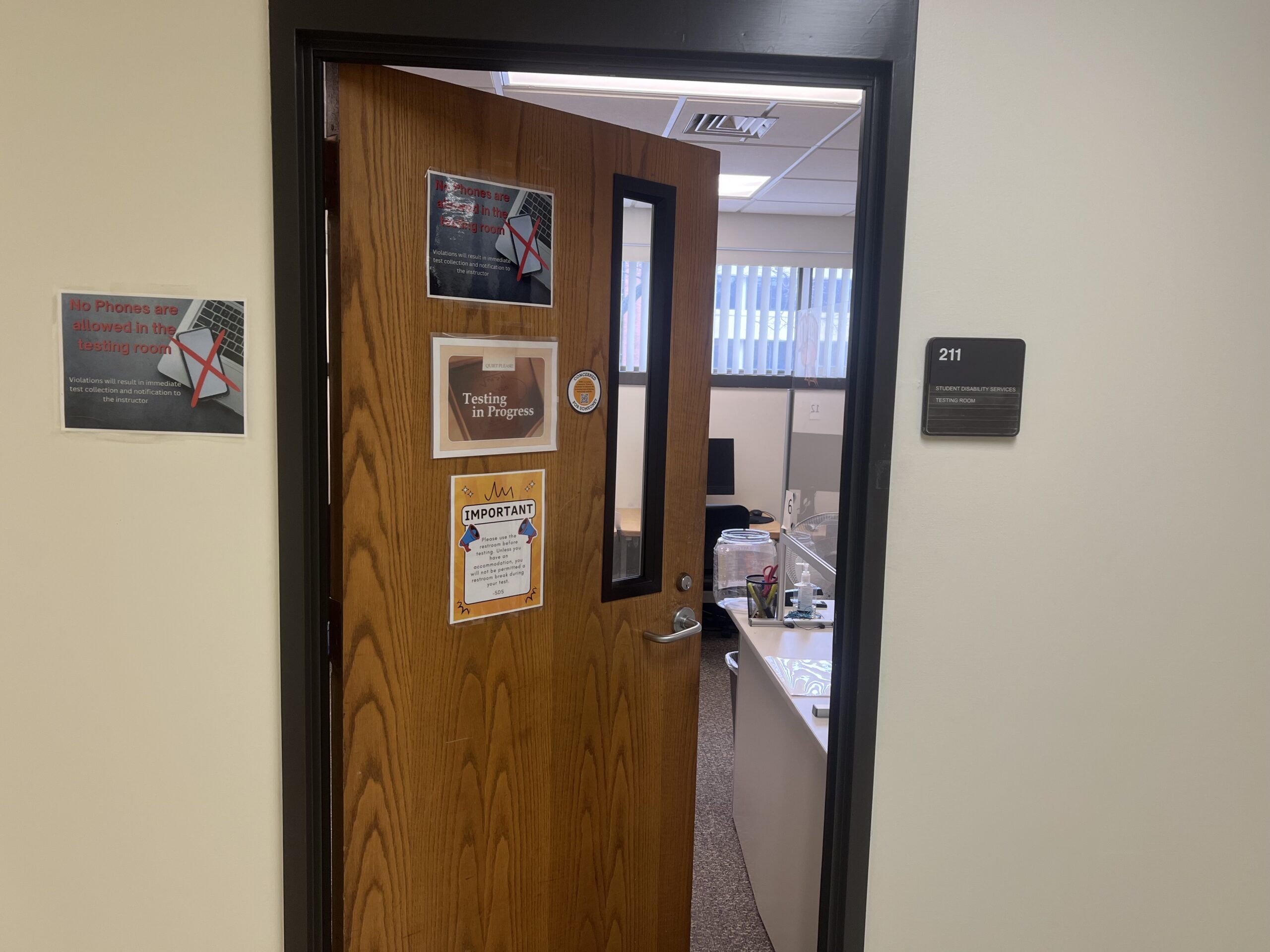
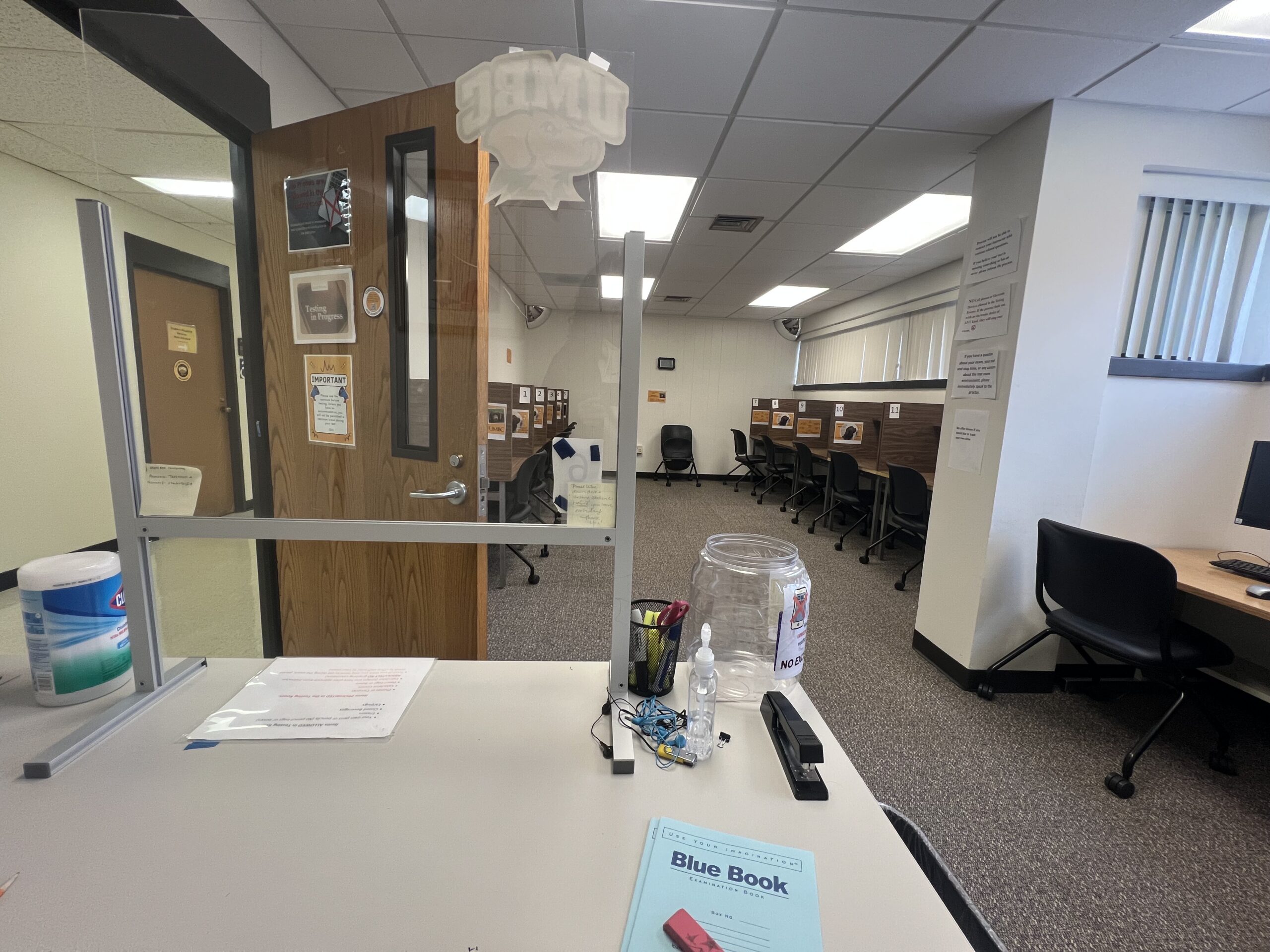
The Math/Psychology Building is situated between Sondheim Hall and the Biological Sciences Building, directly across from the University Center. Once you arrive at the building, you can take either the north or east staircases, or use the elevators, to reach the second floor where Room 211 is located.
Directions to the University Center (UC) Testing Room
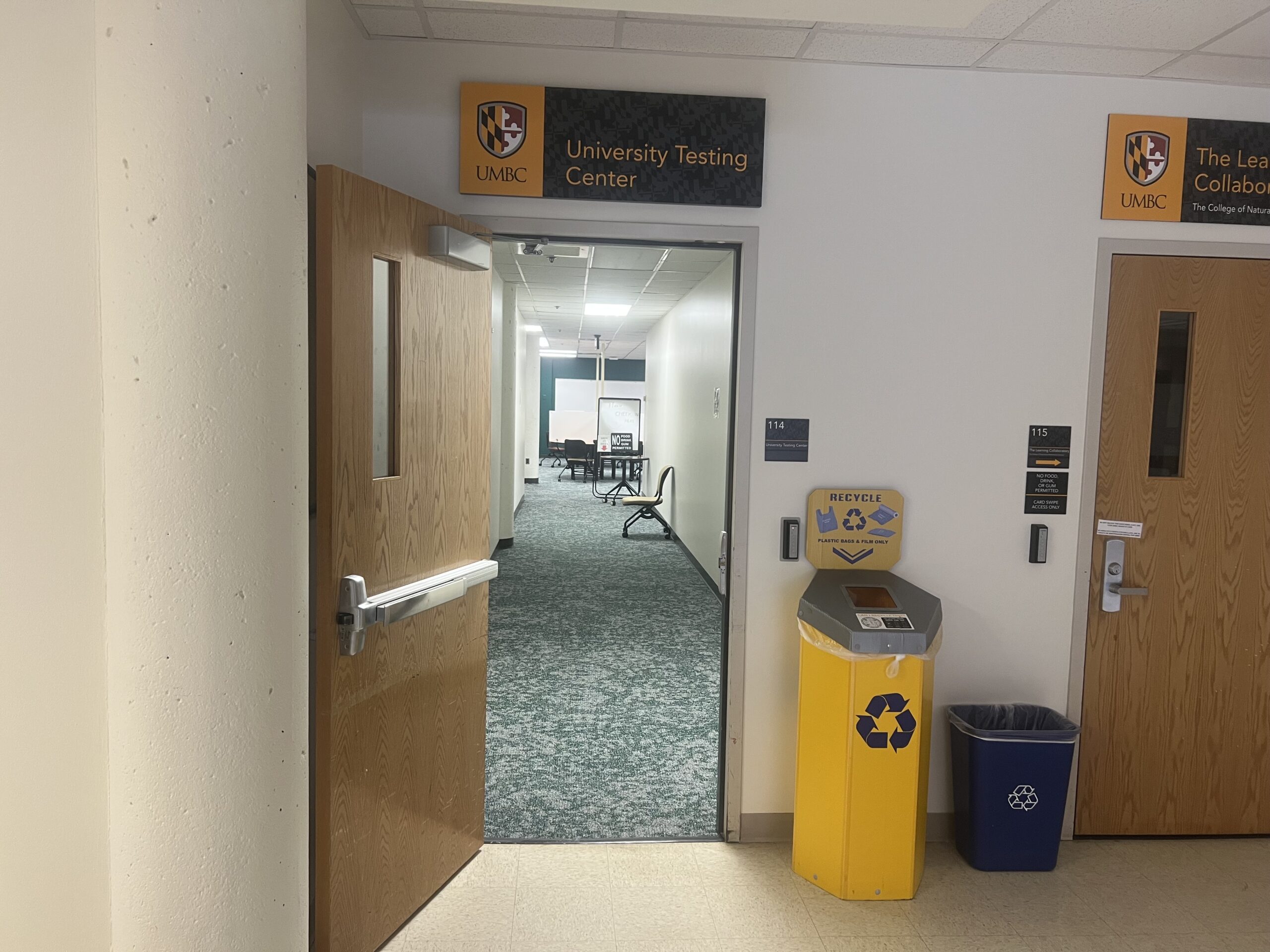
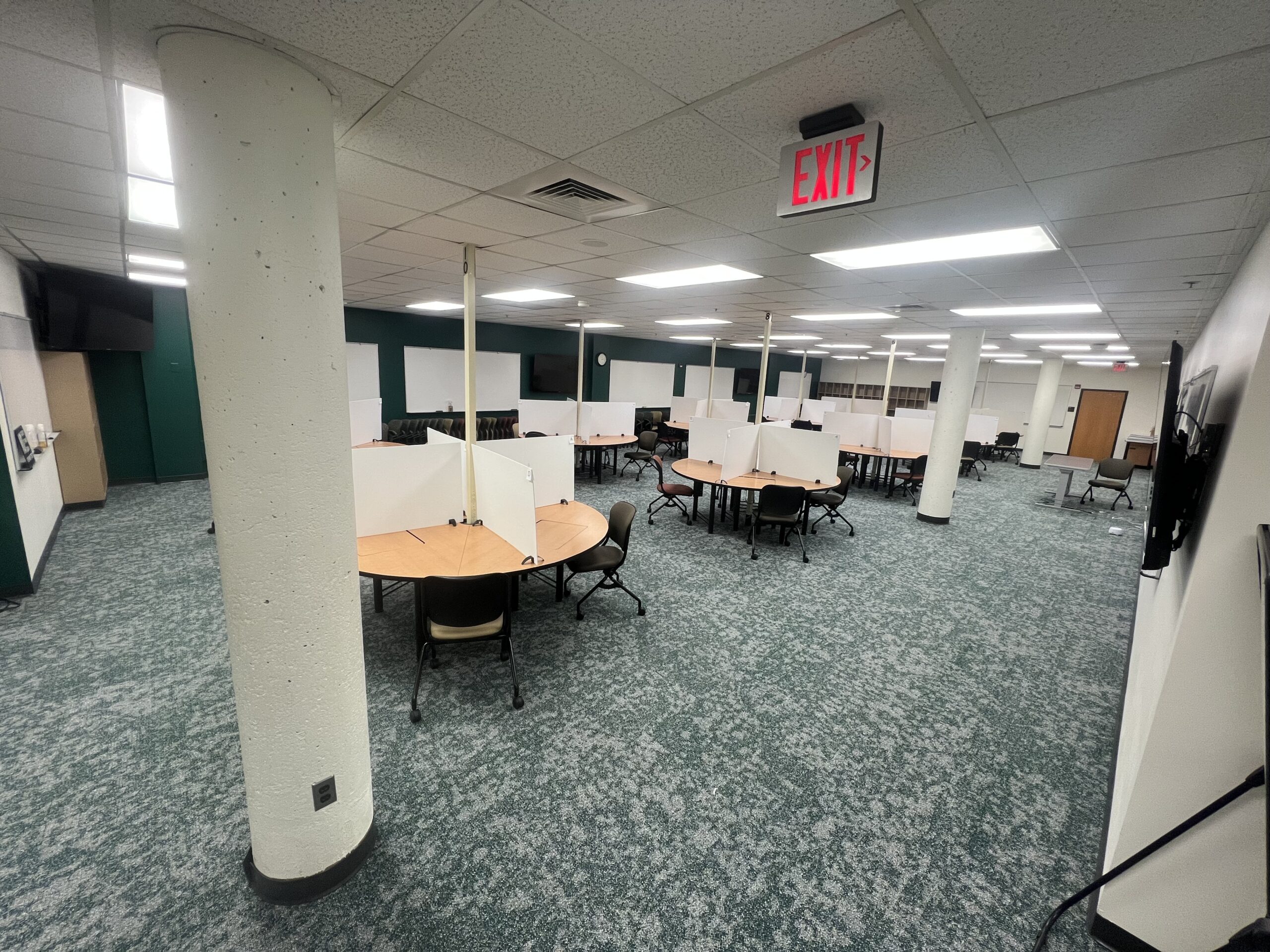
The University Center Testing Room is located in the University Center. The easiest way to access it is through the entrance near the ATM machines. Alternatively, you can enter through the doors leading to Chick-fil-A, walk past Chick-fil-A, turn left, and continue past the Mailing/ID Card Services. The UC Testing Room will be just ahead.
For UMBC Students at the Shady Grove Campus
- Testing Location: Shady Grove campus. Do not schedule at SDS main campus.
- Scheduling: Allow one week advance notice. Please click here for more information.
UMBC Online-Only Courses
- For online courses, instructors will set up extended-time testing accommodations within their remote platforms (e.g., Blackboard). You may also be asked to use the Respondus Lockdown browser.
- Students should notify instructors of their testing accommodation needs at least 4 days prior to each test date. If in-person proctoring is needed for an online test, please contact SDS staff to discuss arrangements.
Placement Testing Accommodations
- Incoming new or current students requesting accommodations on a placement test due to a documented disability must first register with SDS.
- Coordination: Testing accommodations will be coordinated by an SDS Disability Specialist and communicated to the Academic Success Center (ASC).
- Register Early: Please register with SDS at least two weeks before your Placement Testing window date.
- Note: Placement exams cannot be scheduled through the online Accommodate portal.
Test Booking and Administration (Main Campus)
- Register with SDS: New or transfer students need to sign up with SDS and complete an initial meeting to get approved for accommodations.
- Submit a Semester Request: Each semester, fill out a Semester Request so your instructors know your approved accommodations via an SDS accommodation letter.
- Schedule Tests Early: Check your course syllabus for quiz and exam dates, and schedule them with SDS as soon as possible. You must submit requests at least 4 days (96 hours) ahead through the Accommodate portal.
- Notify Your Instructor: After scheduling your exams with SDS, let your instructor know. Scheduling early ensures space and time to get your tests in accessible formats.
- Schedule your exams at UMBC Main Campus online.
Important Scheduling Deadlines
UMBC SDS test scheduling requests must be submitted with at least four days advance notice (>96 hours) online through the student portal Accommodate!. We encourage you to schedule all known tests and quizzes at the beginning of the semester so that you never miss a deadline.
Advance scheduling (>96 hours) ensures testing space/seat availability and allows time for SDS to receive the quizzes/tests from the instructors and ensure they are in accessible formats.
Examples on how you should schedule:
- For Exams on Monday: Schedule by Thursday at 4:00pm
- For Exams on Tuesday: Schedule by Friday at 4:00pm
- For Exams on Wednesday: Schedule by Saturday at 4:00pm
- For Exams on Thursday: Schedule by Sunday at 4:00pm
- For Exams on Friday: Schedule by Monday at 4:00pm
SDS Test Administration Policies (Main Campus)
- Who Can Schedule?: Only students approved for accommodations and with a current “Semester Request” on file can schedule tests at SDS.
- Student Responsibilities: Students must schedule their exams with four days’ notice and notify their instructors of the test dates.
- Prohibited Items: Phones, smartwatches, books, coats, vests, hats (except for medical or religious reasons), and other personal items are not permitted in the testing room. Items must be stored in the SDS office or lockers.
- Arrival Times: Arrive on time. Arrivals 15 minutes late for regular quizzes/exams and 30 minutes late for finals may be considered “no-shows” and may only be rescheduled with permission from your instructor. Instructors may have additional timing requirements.
- Your SDS proctored exams must be scheduled during the same time as the class or as stated in an approval email from the instructor or posted course schedule.
- In cases where class schedules or final exams conflict with taking the test at the same time as the class (often due to extended time overlap), examinees must request written email permission from the instructor for an agreed upon/proposed alternate time and date.
- If you have evening exams, please discuss them with your instructor since SDS proctoring hours may not be available at the same time as the test.
- Mobile phones or other internet-capable or Bluetooth devices are NOT allowed in the test rooms. They must be turned off before entering the testing room and stored in the SDS office or lockers. Calculators are permitted ONLY if approved by SDS or the instructor.
- All food, candy, gum, and tobacco are prohibited in the testing room. Covered drinks may be allowed. Students with food/drink accommodation needs will be seated away from computer stations.
- Allowable materials in the testing room are those authorized by the instructor or disability specialist. Hats, scarves, jackets, wallets, pen cases, or other personal items are prohibited from your testing area.
- The testing room must always be quiet; please be mindful of your peers, as this is a reduced-distraction testing environment.
- All testing materials must be turned in to SDS staff upon test completion, including the test packet, note sheets, formula sheets, tables, scratch-offs, and scratch paper.
- Testing must be completed by the posted closing hours for each day. You may lose testing time if you arrive late for your appointment and SDS closes.
- If an SDS test proctor has reason to believe that a student is cheating during testing, the proctor will take the test and all materials. The incident will be documented, and the instructor will be notified immediately.
Note: Testing must be completed by the SDS closing hours each day. Late arrivals may lose testing time if SDS is closing. For more information on test scheduling instructions, click here.
FAQs for SDS Accommodated Testing (Math/Psych & UC Testing Center locations)
- Who should I contact if I have questions before taking a test in SDS?
If you have any questions about your test procedures, testing accommodations, or scheduling, please reach out to Student Disability Services (SDS) by phone or email:
Phone: (410) 455-2459 OR Email: disAbility@umbc.edu
- What items am I allowed to bring into the testing room?
You may bring only the materials approved by your instructor and listed on the pink testing instructions sheet. Typically, this includes items such as pens, pencils, scrap paper, and approved assistive devices (e.g., screen readers, certain calculators, laptops for Blackboard-specific testing). ALL other items must remain in the locker area (jackets, backpacks, cellphones, iPads, Bluetooth-connected headphones…).
- What happens if I arrive late for my test?
If you arrive late to your test, we must notify the professor and obtain permission for you to still be able to complete it that day. We may be able to offer a brief grace period under 15 minutes in a special circumstance; however, please note our testing center will not be able to stay open past closing time to proctor your test due to your arriving late. You may need to reschedule your test. The SDS testing manager can advise you on next steps.
- Can I take a break during the test?
Breaks are only permitted if they are part of your approved accommodations or specified by your instructor. If you have an approved break, a proctor will escort all students requiring a break to and from the bathroom or break area to ensure test integrity. Please note that your exam time will continue to run during breaks, so we encourage you to use your break time carefully and return promptly to make the most of your testing time. Notify the testing manager if you are facing a health challenge/crisis.
- What does it mean to keep all belongings in the storage room/locker/cubbies?
Before testing, all personal belongings must be stored in the designated storage areas. This includes phones, papers, books, bags, and other materials — unless your instructor has provided specific instructions permitting certain items. We honor all directions given by the faculty regarding which materials are allowed during the exam. If any unauthorized items are found during testing, the proctor will pause your exam and notify the Testing Manager for the next steps.
**If a cell phone or internet-enabled device is found or observed being used during testing, faculty will be notified immediately, and an academic integrity violation may be reported. Photo/video evidence may be provided to the faculty member.
- Can I eat or drink during my test?
Food or drinks during testing will be allowed only for a student who requires it as part of their disability accommodation needs/health condition. You may request to take a break to eat or drink, but in order to avoid disruptions, we cannot allow food/drink in the testing room. A proctor will accompany you on the break and your testing time will continue counting down. Please talk to the testing manager about any special circumstances.
- What if I accidentally bring my phone into the testing room?
If you realize you still have your phone after the test begins, raise your hand immediately and inform the proctor. They will help you store it in a secure location. If the phone is used or visible during testing, the incident will be reported to the Testing Manager and your instructor. If you are expecting an urgent emergency call, you may place your phone with the proctor.
- Can I listen to music or white noise while testing?
Unfortunately, music is not allowed. Personal music devices, AirPods, and other wireless headphones are not permitted in the testing room. However, SDS provides a white noise machine to help reduce distractions. If needed, SDS can also provide disposable earplugs to help block out noise or wired earphones for students taking/listening to audio-based exams. SDS makes a great effort to limit noise and distractions in the testing environment, but cannot guarantee a noise-free or completely silent environment.
- What if I have technology issues during a computer-based test?
If your computer freezes, loses internet connection, or you encounter a software issue, notify the proctor right away. Do not attempt to fix the issue yourself before notifying someone. The Testing Manager will assist you in resuming your exam safely.
- What should I do if I feel unwell and need to cancel my exam on the day of?
If you are sick or feel unwell on the day of your exam, contact Student Disability Services (SDS) and your instructor as soon as possible. If you begin to feel unwell while testing, raise your hand and let the proctor know immediately. The Testing Manager will assist you and may pause your exam if needed.
- Why is a proctor escorting me to the bathroom during my breaks?
We strongly encourage all students to use the bathroom before the test begins to minimize interruptions during the exam and make the most of their allotted time. As part of our testing security and safety protocols, an SDS student proctor or staff member will escort you to the bathroom when you have an accommodation for breaks (or in an emergency). They will not enter the bathroom with you. This procedure ensures test integrity. Many instructors do not allow students to leave their testing in the classroom for bathroom breaks, and they expect the same in SDS unless there is a health-related need.
- Does SDS provide stress balls or fidget toys during exams?
Yes. SDS provides a limited number of stress balls and quiet fidget tools to help students manage anxiety and maintain focus during exams. You can request one from the proctor before your test begins. Please note that only silent, non-distracting fidgets are permitted in the testing room to ensure a quiet environment for all students. An example might be a soft, squishy toy to squeeze while taking your test.
SDS-Approved Noise-Cancelling Earbuds/Headphones
If you are concerned about which noise-cancelling tools are allowed, we have included an image of the SDS-approved earbuds and headphones for your reference. If you bring your own, please ensure they are similar to the approved options (pictured below)—such as Loops Quiet earbuds or rubber/silicone-style earbuds that cannot connect to any device.
If you do not have any, SDS can provide free, one-time-use earbuds for your needs.
